AI SOAP Note Generator
Generate a structured AI SOAP draft from visit context so clinicians can review and finalize faster.
AI Workflow Snapshot
What this AI workflow should produce
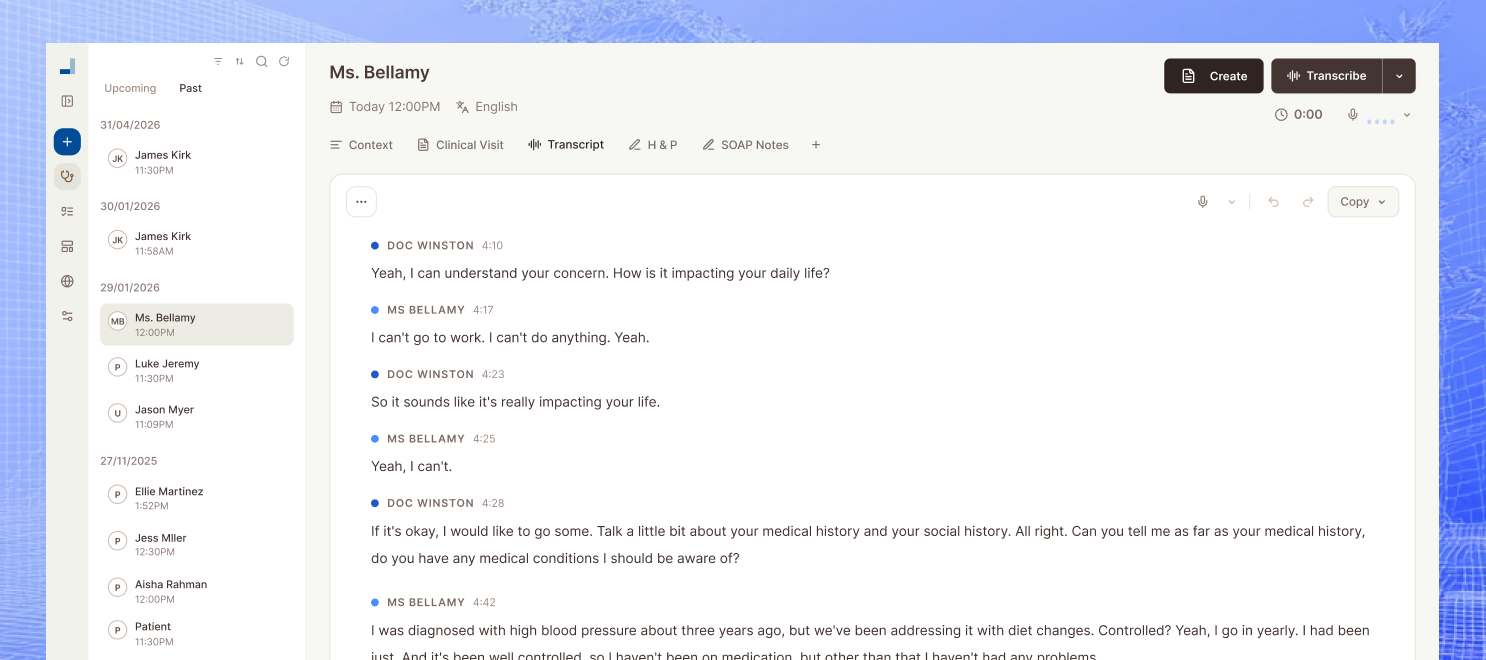
This workflow is designed for clinics that want to turn visit context into a structured SOAP draft clinicians can review and finalize faster. The output should remove blank-page work, keep review visible, and connect the note to the next operational or communication step.
- Input a visit summary, transcript, or encounter notes
- Generate a structured subjective, objective, assessment, and plan draft
- Review and adapt the draft before anything reaches the chart
How To Use This Page
How to generate a usable ai soap note generator draft
The best outputs come from stronger source material. Paste the encounter context, generate the draft, and then keep a human review step between the AI output and the chart.
- Paste the source material. Use transcript text, visit notes, or a structured summary that contains the facts you want preserved in the draft.
- Generate the first version. Pick the visit type, specialty, and output style so the generator produces a structure closer to your real workflow.
- Review before charting. Compare the output to the source, tighten the clinical language, and only then move it into the chart or downstream document.
Review Before Use
What to review before you use it live
These pages are designed to remove blank-page work, not final review. Tighten the output against your clinic's rules before it touches patients, claims, policies, or the chart.
- Verify every patient-specific fact against the source material before charting or sharing.
- Remove unsupported statements, duplicate text, and any plan items that were not actually documented.
- Keep clinician review and sign-off in the loop before the draft reaches the chart.
Why Use an AI SOAP Note Generator
SOAP notes are one of the clearest ways to show whether an AI drafting workflow actually helps. A useful generator gives clinicians a structured starting point, reduces blank-page work, and makes review faster without pretending the draft should replace clinician sign-off.
- Preview how a structured AI note draft can reduce first-pass writing time
- Standardize note shape across clinicians without forcing a rigid one-size-fits-all style
- Evaluate note quality before the team commits to a larger workflow change
What Makes the Draft More Useful
The best outputs come from clear clinical context. Chief complaint, relevant history, objective findings, assessment detail, and plan logic all matter if the generated note is supposed to save time instead of creating extra correction work afterward.
- Use complete visit context instead of a minimal summary
- Treat the draft as a first pass that still requires review
- Test the workflow against a real recent encounter, not a toy example
How Mcoy Extends the Workflow Beyond SOAP
A note generator becomes more valuable when the encounter can also feed letters, summaries, and next-step work. Mcoy uses the same captured visit context to support multiple downstream outputs instead of keeping SOAP drafting isolated from the rest of clinic operations.
- Start with a structured SOAP draft from the encounter
- Reuse the note context for letters, summaries, and follow-up tasks
- Keep clinician review in the loop before anything reaches the chart
Frequently Asked Questions
Is the generated SOAP note ready to sign immediately?
No. It should be treated as a strong first draft. Clinician review is still required before anything is copied into the chart or used in live care.
What specialties fit best with this workflow?
It is strongest anywhere SOAP structure is already familiar, including primary care, outpatient medicine, urgent care, therapy, and many follow-up visit types. Teams should still adapt the structure to specialty needs.
How does this connect to the full Mcoy platform?
In Mcoy, the note does not need to start from a manual rewrite after the visit. The encounter can be captured, drafted, reviewed, and reused for downstream documents inside the same workflow.