# Mcoy Scribe
AI for vets who love
practicing, not paperwork.
The AI scribe and documentation assistant for veterinary clinics — spend less time on notes and more time with your animals.
How it works
Notes built for you — before,
during, and after every visit.

Speak freely on any device
Record consultations, appointments, or phone calls from your phone, tablet, or laptop — Mcoy listens in real time.
6yo MN Labrador, annual wellness. Owner reports mild lethargy over 2 weeks. Appetite normal. On flea/tick and heartworm prevention.
T 38.4°C · HR 76bpm · BCS 5/9 · 34kg. MM pink, CRT <2s. Cardiopulmonary clear on auscultation.
Healthy adult canine. BCS trending toward 6/9 — nutritional counselling indicated. Vaccinations overdue.
C5 administered. Reduce kibble by 15%. Recheck weight in 6 weeks
Get accurate notes instantly
Mcoy converts your consultation into clear, structured SOAP notes and other clinical formats — ready in seconds.
Dear Jordan,
Thank you for bringing Buddy in today. We discussed his vaccination schedule and weight management plan.
Please continue the prescribed diet and book a follow-up in 6 weeks.
Export to your clinic's records
Edit your notes in a few clicks and export them straight into your clinic's practice management system — no copy-pasting.
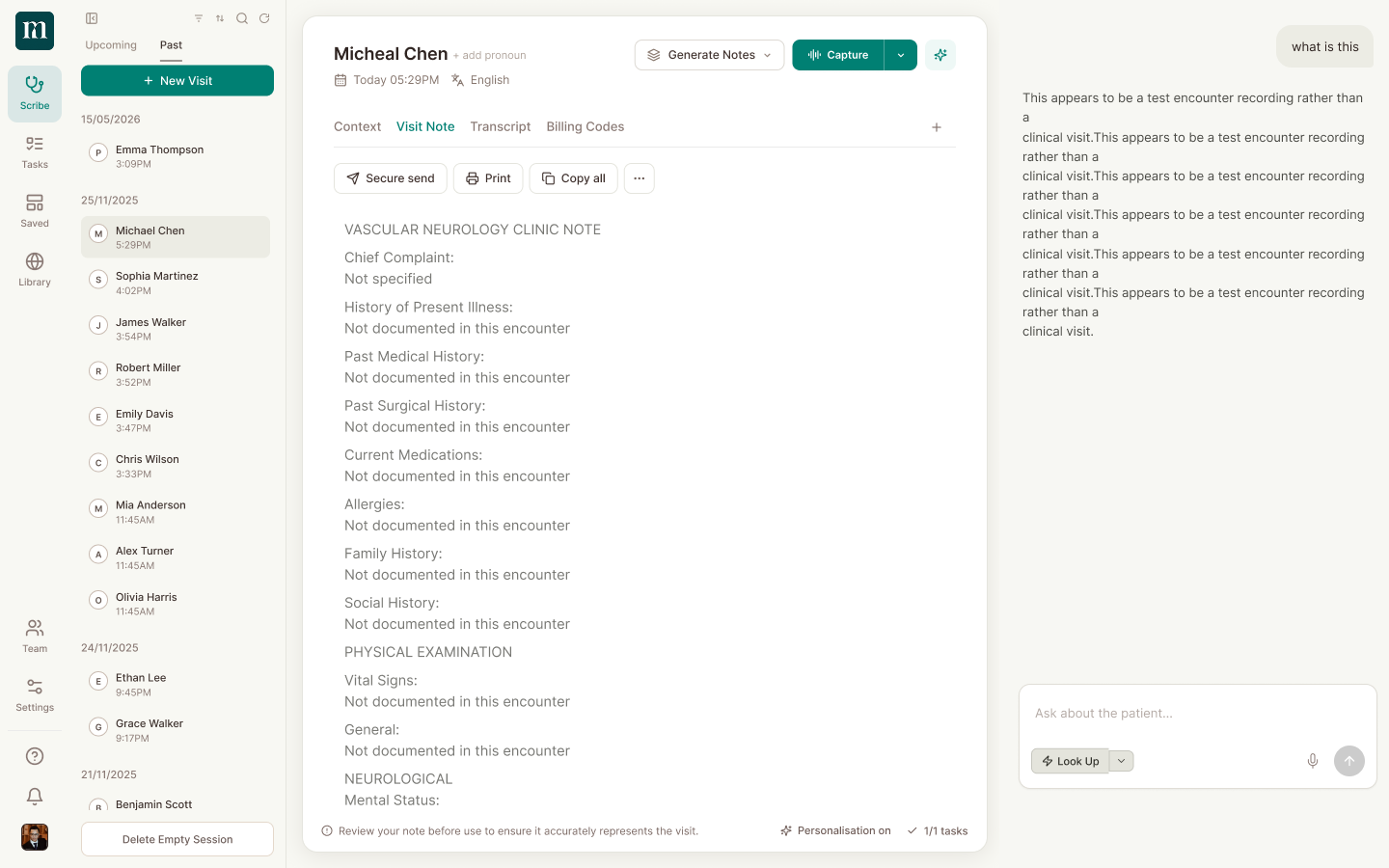
Ask anything about the visit
Chat with Mcoy to pull context, draft letters, check differentials, or refine notes — without leaving the encounter.
The simplest upgrade
your clinic will make.
No IT setup, no lock-in. Start speaking notes in minutes — not months.
Ready in under 2 minutes
No IT setup required. Sign up, speak your first note, and you're running — in minutes, not months.
Works with any system
Mcoy works alongside your existing practice software. Copy, export, or paste notes directly — no lock-in.
Loved by vets, not just admins
Every feature was asked for by a vet — not built because it was easy. Ask Mcoy anything about the encounter.
MCOY HEALTH
"I used to chart at home, after dinner. That's gone. It saves like 12 to 18 hours a week."
Dr. Sarah Mitchell Small Animal Veterinarian, Riverside Animal Hospital
Vets using Mcoy get their evenings back — no more staying late to finish notes after a full day of seeing patients.
93%
Less burnout
Vets report feeling less drained and overwhelmed after switching — so they can bring their best to every patient.
2 hrs
Saved every day
That's over a month of clinical time reclaimed every year — time spent on patients, not paperwork.
92%
Would recommend
Vets say Mcoy gave them back the part of the job they loved — actually caring for animals.
One complete platform
Everything a vet needs,
in one place
.png)

.png)
Your AI assistant for every clinical moment
Look up drug interactions, draft referral letters, summarize encounters, or generate care plans — Mcoy handles the clinical admin so you can stay focused on the patient.
Made for small practices.
Community care
You might not recognize the practices we work with — that's on purpose.
We're not made for massive hospital networks. Mcoy is built to bring focus back to community veterinary care, one local practice at a time.
Learn more
+ In practice
Every species,
every specialty,
every practice.
Explore templates → From small animal GP to equine, from exotic medicine to emergency — Mcoy adapts to the realities of your veterinary practice.
6yo MN Labrador presenting with 2-month history of progressive left hind limb lameness.
- Lameness worse after exercise, improves with rest.
- Owner reports difficulty rising from lying position.
- Appetite and demeanour unchanged.
- Up to date on vaccinations. On flea/tick prevention.
- No prior orthopaedic history. Weight 34kg.
- Grade III/IV lameness left hind on walk.
- Pain on hip extension and internal rotation.
- Muscle atrophy left hindquarter noted.
- Ortolani sign positive — suggestive of hip dysplasia.
- Radiographs both hips under sedation. NSAIDs commenced...
Security and privacy
Mcoy is built with clinical privacy at its core. Your data is encrypted in transit and at rest, stored securely, and never used to train AI models. Designed for veterinary record standards from day one.
Learn moreencryption
in Australia
training
standards
Built for vets who see
back-to-back patients.
"Been using Mcoy for 3 weeks. The ambient scribe is genuinely incredible. It captures things I would have forgotten to document. Notes are done before the patient walks out."
"Mcoy Health is so good. Kept pushing my registrar to try it. Now she won't stop talking about it."
"I was spending 2 hours on notes every evening. Now it is 20 minutes. That is not an exaggeration. The AI gets the structure right almost every time."
"We piloted Mcoy across our GP clinic in South London. Within two weeks the whole team had adopted it. The time saved on admin alone justified the cost immediately."
"It is actually hard to explain how much time this saves. The scribe listens, structures the note, and I just review and sign off. The SOAP format reads exactly like I would write it myself. There is no going back to manual charting."
"As a psychiatrist doing 50-minute sessions, documentation was genuinely eating my evenings. Mcoy handles the whole note. I focus on the patient now."
"Running a busy family practice in Houston meant I was always behind on charts. Mcoy changed that in the first week. My evenings are mine again."
"I don't think I've ever recommended an app to as many colleagues as I have Mcoy. Everyone who tries it asks why they didn't start sooner."
"Just used Mcoy AI for the first time last month. Genuinely insane product. The templates actually read like something a clinician wrote, not generic AI output. Highly recommend."
"I get uncharacteristically excited telling colleagues about Mcoy. 30 patients a day and I leave on time now. Never thought I would say that."
"I was skeptical about AI scribing but gave Mcoy a try during a busy ED shift in Perth. The note quality was better than what I would have typed myself. Now I use it every shift."
You can afford to get home on time.
Key features include
- °5 encounters per month
- °Basic note templates
- °Limited AI note generation
- °Visit transcription
Key features include
- °Up to 40 notes per month
- °Specialty-specific templates
- °World class live support
- °AI note generation
- °Visit transcription
Every Starter feature, plus
- °Unlimited encounter transcription
- °Unlimited templates
- °Unlimited AI notes
- °Ask Mcoy AI assistant
- °100+ templates and custom templates
Every Veterinarian feature, plus
- °Live clinic onboarding
- °Single sign-on (SSO)
- °Admin dashboards & custom configurations
- °Dedicated account manager
- °Everything in Clinician
All plans include a 14-day free trial. No credit card required.
FAQs
What is an AI vet scribe?
An AI vet scribe is a tool that listens to your consultation in real time and automatically generates structured clinical notes — like SOAP notes, progress notes, or discharge summaries — so you don't have to type them yourself. Mcoy is an AI vet scribe built specifically for veterinary practice.
How does Mcoy's AI scribe work?
You start a session on any device — phone, tablet, or laptop — and Mcoy listens as you conduct the consultation. When you end the session, Mcoy processes the audio and generates a complete, structured note in seconds. You review, edit if needed, and paste it into your practice management software.
How accurate is the AI-generated note?
Mcoy is trained on veterinary-specific language and clinical structures. Most vets find the notes require minimal editing — typically a quick review rather than a full rewrite. Accuracy improves the more you use specialty templates tailored to your visit types.
Do I need to integrate with my vet practice software?
No integration is required to get started. Mcoy generates copy-ready, structured notes you can paste directly into any vet practice software (Cornerstone, ezyVet, VetFax, RxWorks, etc.). Native integrations are on the roadmap.
Is my patient data and audio kept private?
Yes. Audio is processed transiently and never stored long-term. All data is encrypted in transit and at rest. Mcoy is built with clinical privacy at its core and operates in compliance with applicable veterinary data regulations.
What types of consultations can Mcoy handle?
Mcoy works across small animal GP, equine, exotic and avian, emergency and critical care, surgery, dermatology, dentistry, and more. You can choose from 50+ specialty templates or build your own to match any visit type your clinic sees.
Can multiple vets in my practice use Mcoy?
Yes. Mcoy supports multi-vet clinics with role-based access, shared note templates, and individual session history per vet. You manage the whole team from one admin dashboard.
How long does it take to set up?
Most clinics are up and running within minutes. There's no IT setup, no integrations required — just sign up, configure your note templates, and start your first session.
Is there a free trial?
Yes — you can start for free with no credit card required. We'll walk you through setup and make sure Mcoy is delivering value before you commit to anything.
See it work in your clinic today.
Start in minutes. No IT team required, no EHR integration needed. Just open the app, start a consult, and let Mcoy do the rest.
Get started free →- 6yo MN Labrador presenting for annual wellness exam and vaccination update.
- Owner reports mild lethargy over the past 2 weeks. Appetite normal.
- Drinks and urinates normally. No vomiting or diarrhoea.
- Exercise tolerance slightly reduced — owner attributes to warmer weather.
- Weight 34kg — stable since last visit. BCS 5/9.
- Up to date on flea, tick, and heartworm prevention.
- No prior significant illness. Neutered at 12 months.
- Vaccinations: C5 due today. Last dental 18 months ago.
- No known drug allergies. Diet: premium dry kibble.